The Rate Management Module was created with the intent to allow full control over everything to do with rates in the system. Currently the Rate Management Module only supports Tariff/Out of Tariff Rates, in a future update there will be support for contract rates as well.
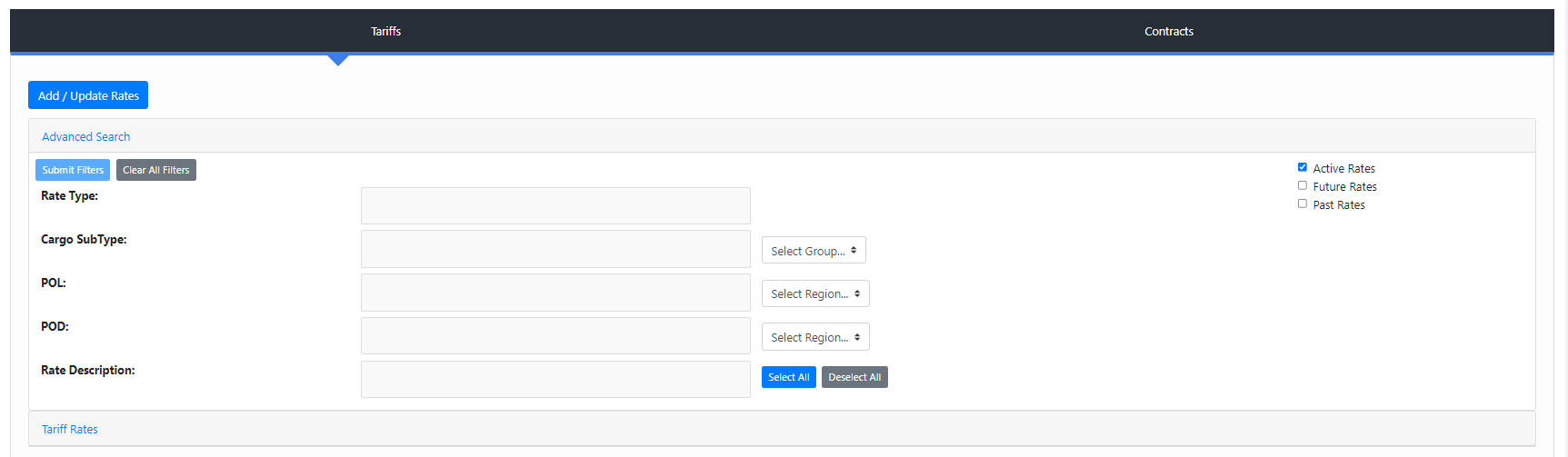
The Tariff Rates tab has a few main functions. On the initial load of the page the “Tariff Rates” tab will have no data to display, you must first input some parameters into the “Advanced Search” tab in order to view rates.
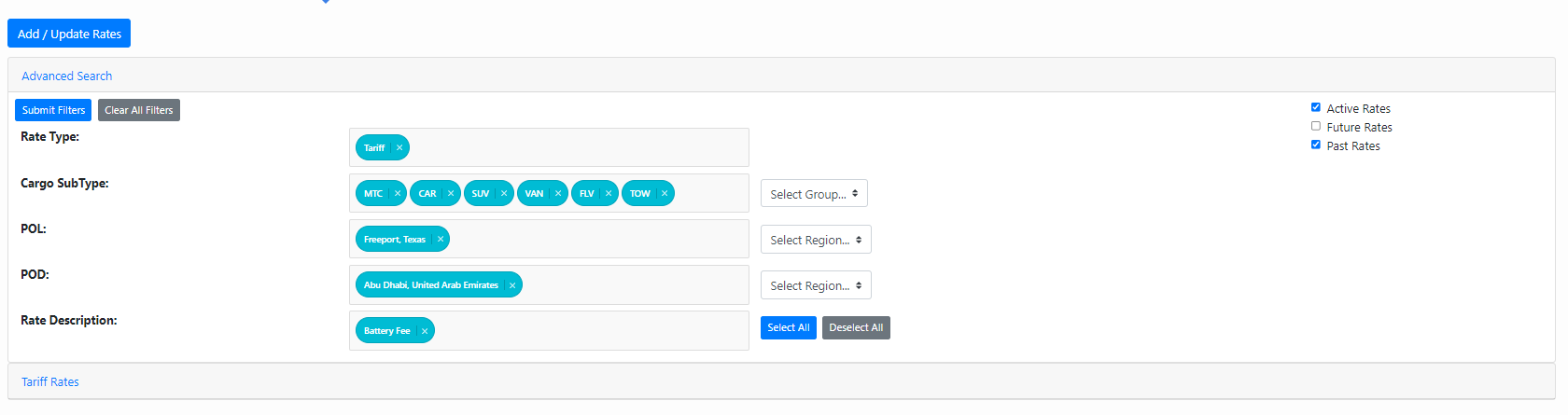
Displayed on this image is the “Advanced Search” filters for the rates in the system. Take note of the checkboxes on the right side which allow you to view rates in the past, current rates, or rates in the future. Some fields are required on the advanced search, once enough parameters have been entered the “Submit Filters” button on the top left will turn blue, indicating that you can now query for tariff rates.
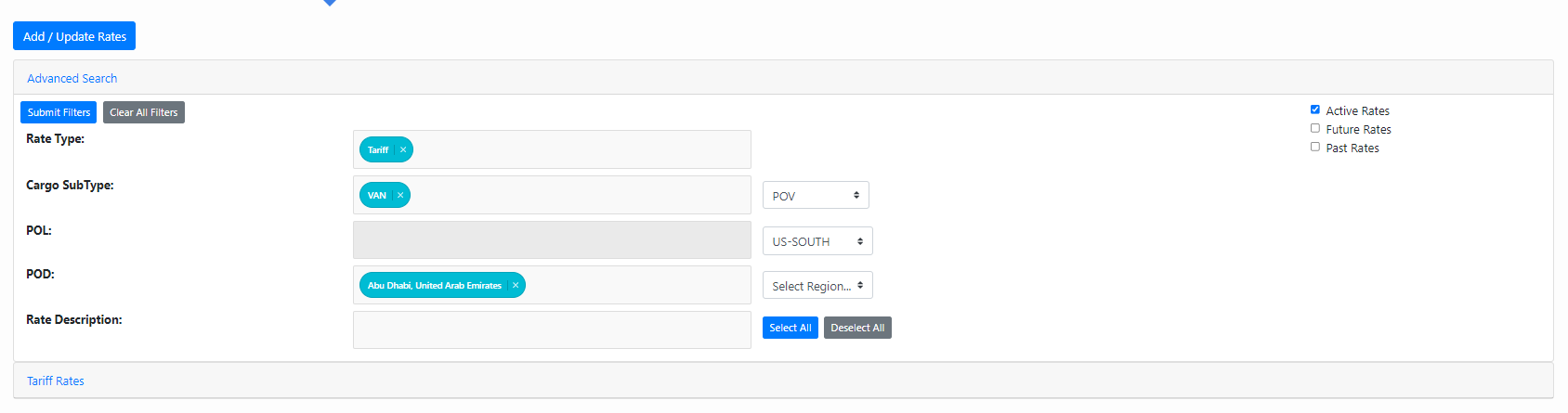
Here we are querying for: Tariff Rates for VAN, from the region “US-SOUTH” to “Abu Dhabi, United Arab Emirates” all Rate Descriptions
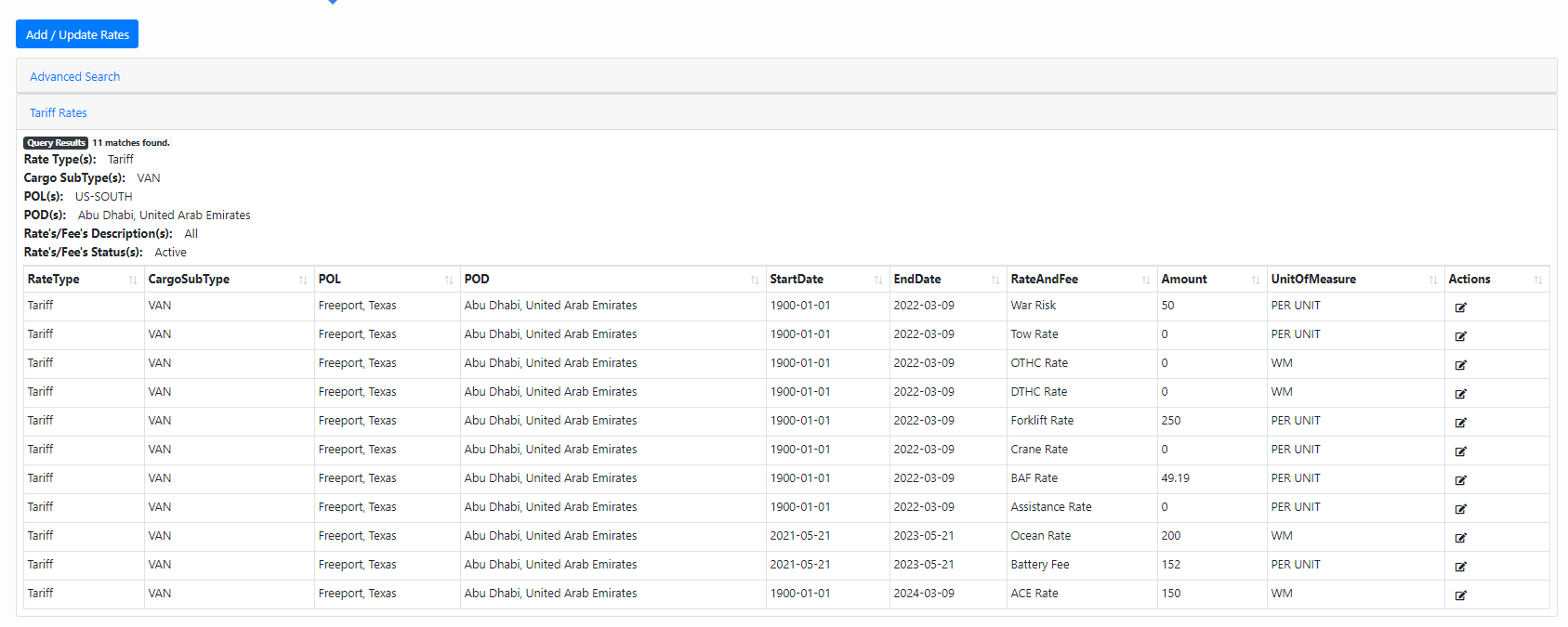
After “Submit Filters” is clicked the Advanced Search tab will close and the Tariff Rates tab will open and populate with all of the rates that are relevant to the parameters provided above in the advanced search. The actions column all the way to the right allows you to edit the amount and unit of measure for any single rate.
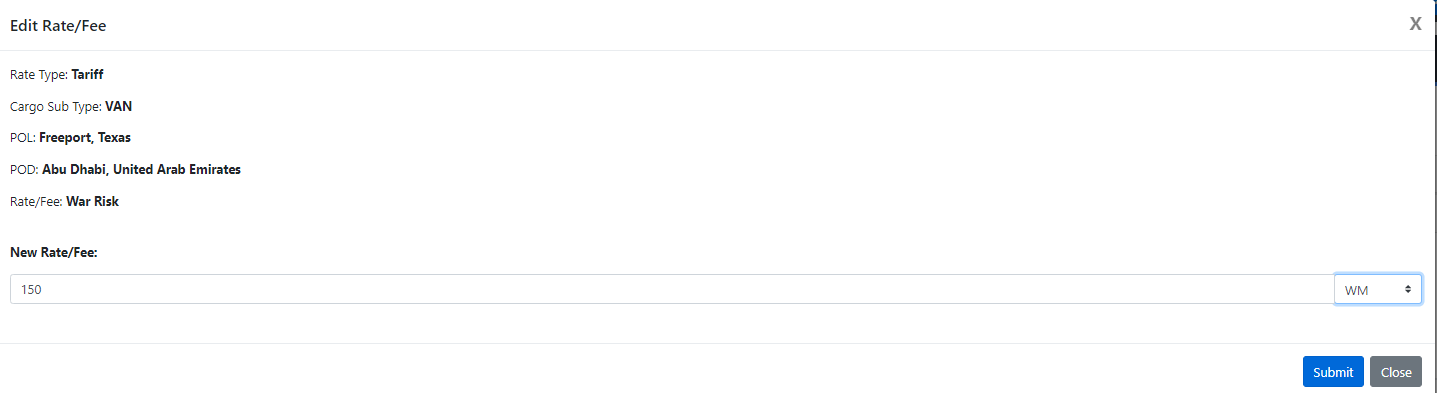
By clicking on the edit icon in the “Actions” column of a single rate a modal will appear that looks like the above. Simply enter the new rate/fee amount and the new unit of measure and click “Submit”
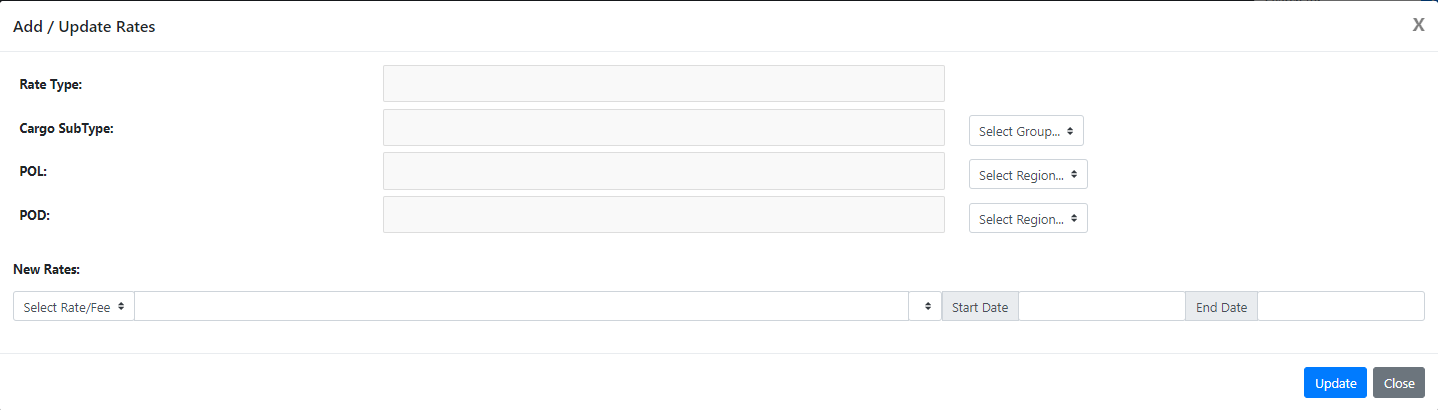
To update multiple rates click the button all the way at the top, “Add/Update Rates” which will open a modal that looks like the above image.
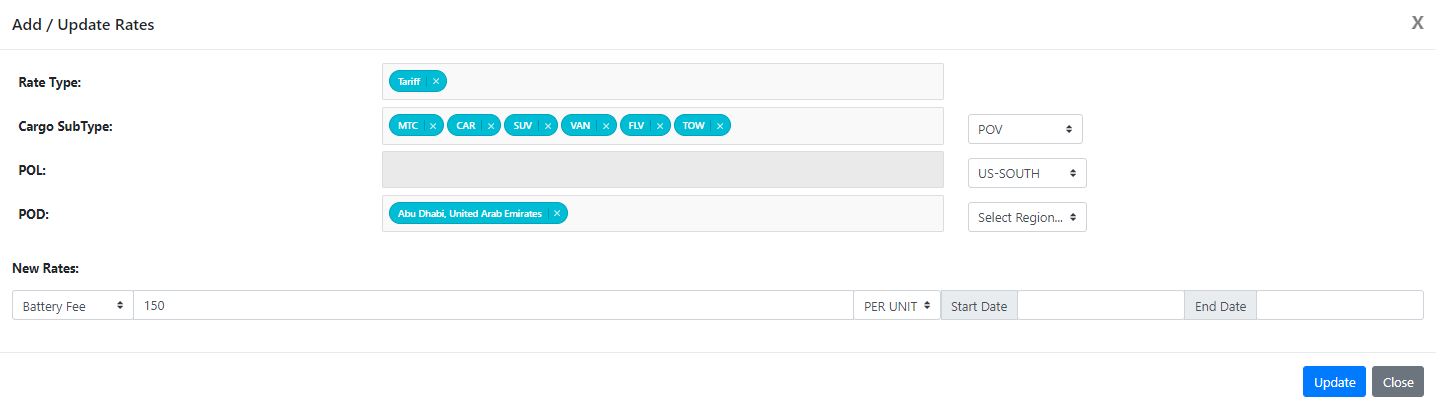
Enter in the values for which rates you would like to add or update. Here we would like to add or update a “Battery Fee” Tariff Rate for any POV for any port in the US-SOUTH region to Abu Dhabi. United Arab Emirates. We set the amount to 150 and the unit of measure to “PER UNIT". Because Start Date and End Date are left blank, these changes will take place immediately. Click “Update” when you are ready to proceed.
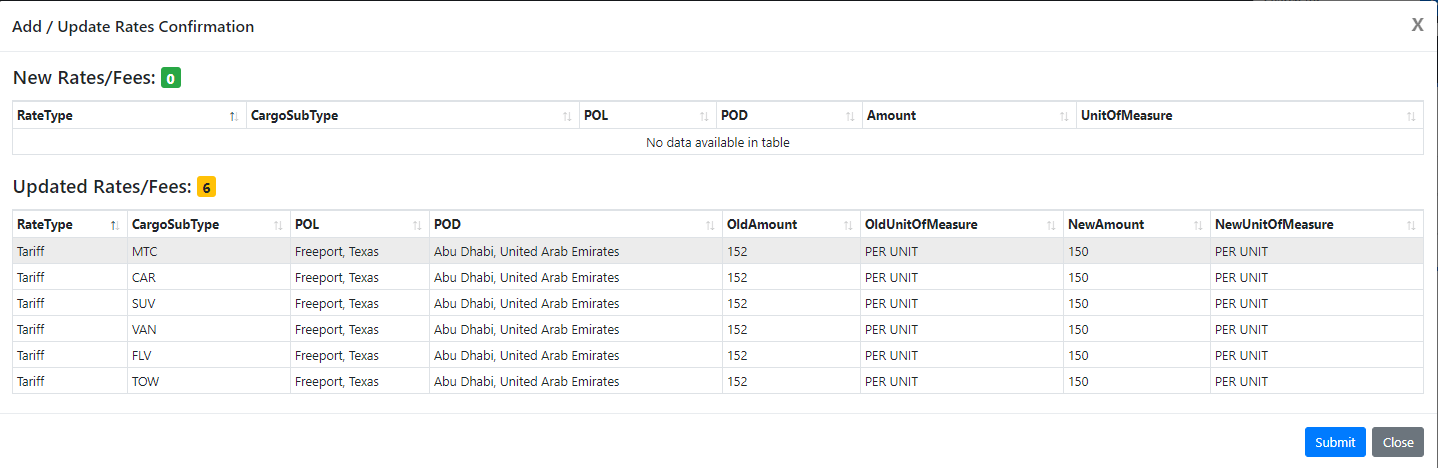
After clicking “Update” a new modal will appear which will give you a summary confirmation screen for all the rates that are being added or updated. Here we see that no new rates are being added and 6 rates are being updated from 152 PER UNIT to 150 PER UNIT. If these changes look correct, click “Submit” otherwise, click “Close” and start again.
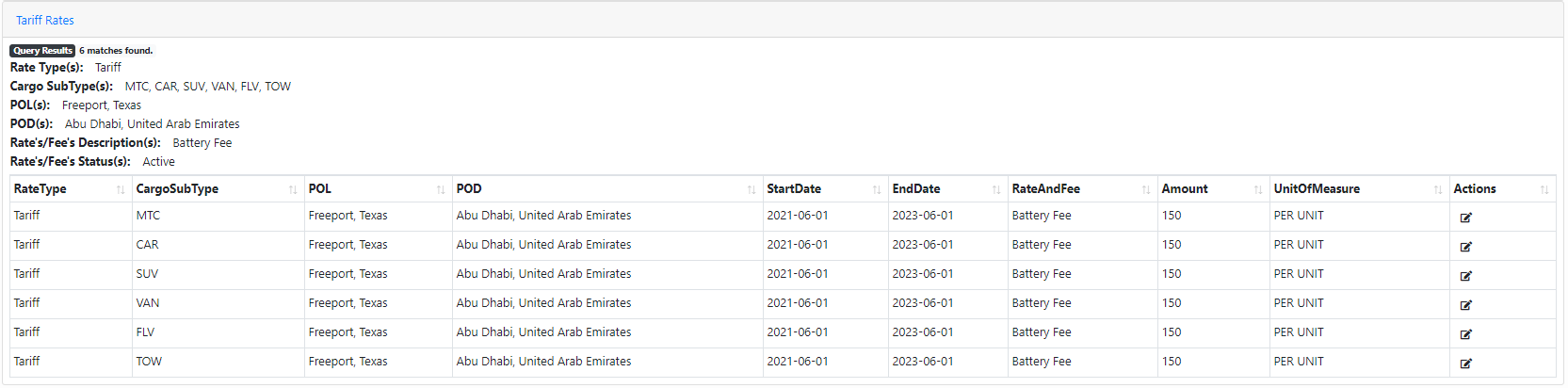
After “Submit" has been pressed the modal will close and the “Tariff Rates” tab will be populated with the data for all the new or changed rates. Here we see all the Battery Fees for POV from US-SOUTH region to Abu. Dhabi have been successfully updated to 150 PER UNIT.
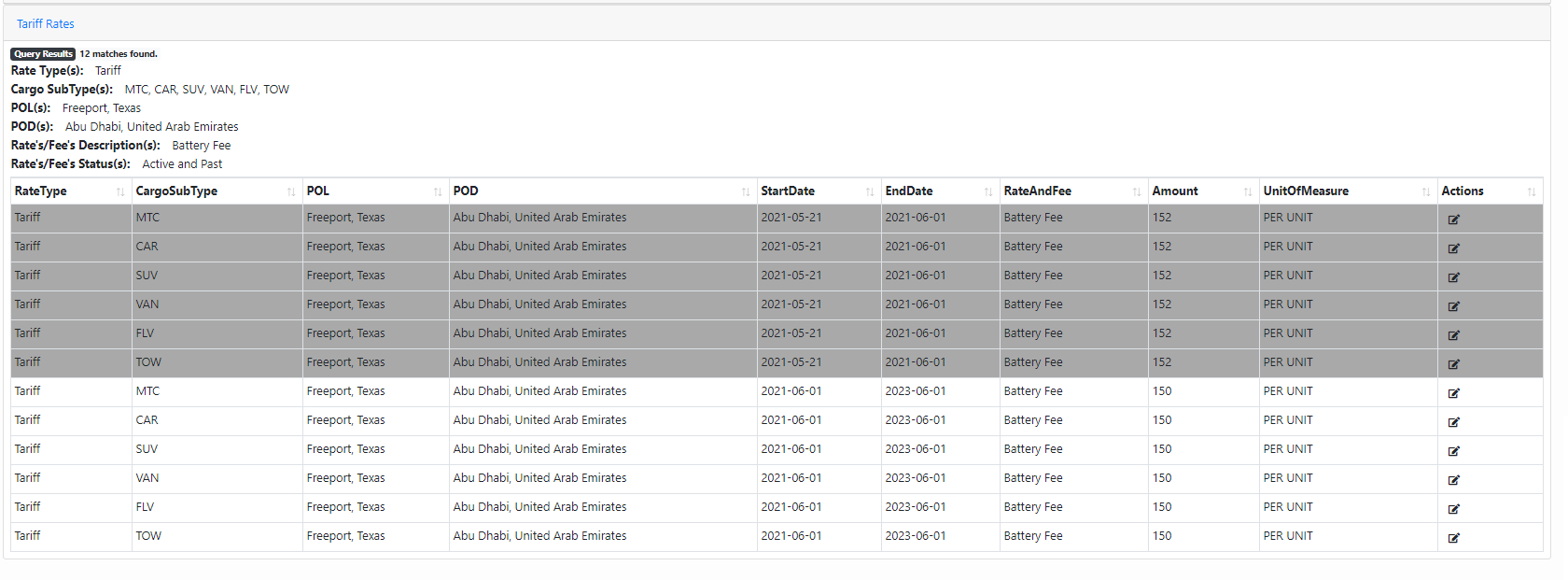
If we would like to view this change you can simply change the “Advanced Search” to also show “Past Rates” then click “Submit Filters”
Past Rates are highlighted dark gray to show that these are no longer in use. Here we can see that all of the old Battery Fees of 152 are no longer being used and the new amounts of 150 are active.
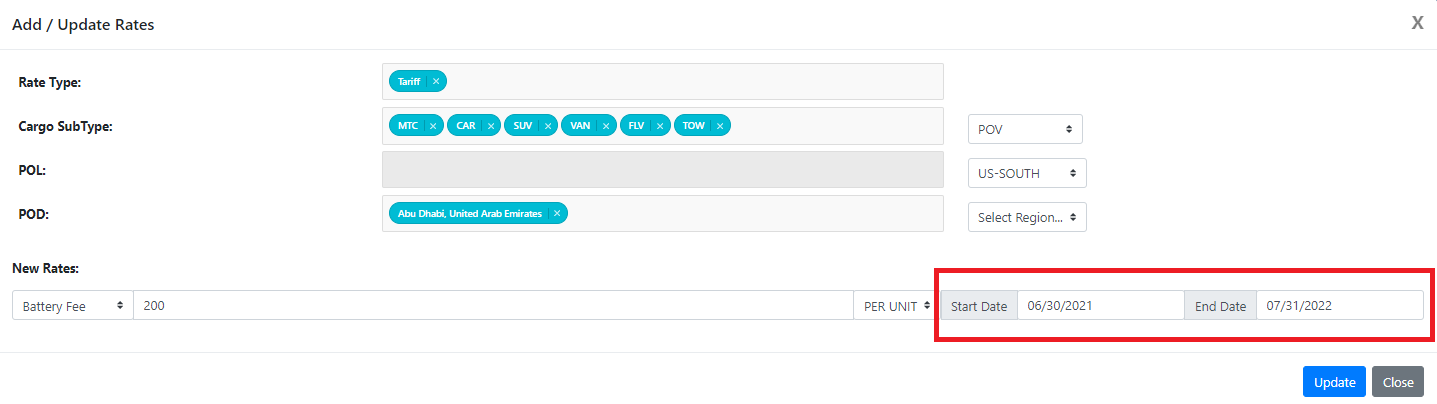
If you would like to add or update a rate, but for a date in the future, you may use the optional “Start Date” and “End Date” fields on the “Add/Update Rates” modal to specify when you would like the rates to take effect. Let's say we wanted the same Battery Fees as shown before to increase to 200 on 6/30/2021, we would simply add the date as seen in the red box.
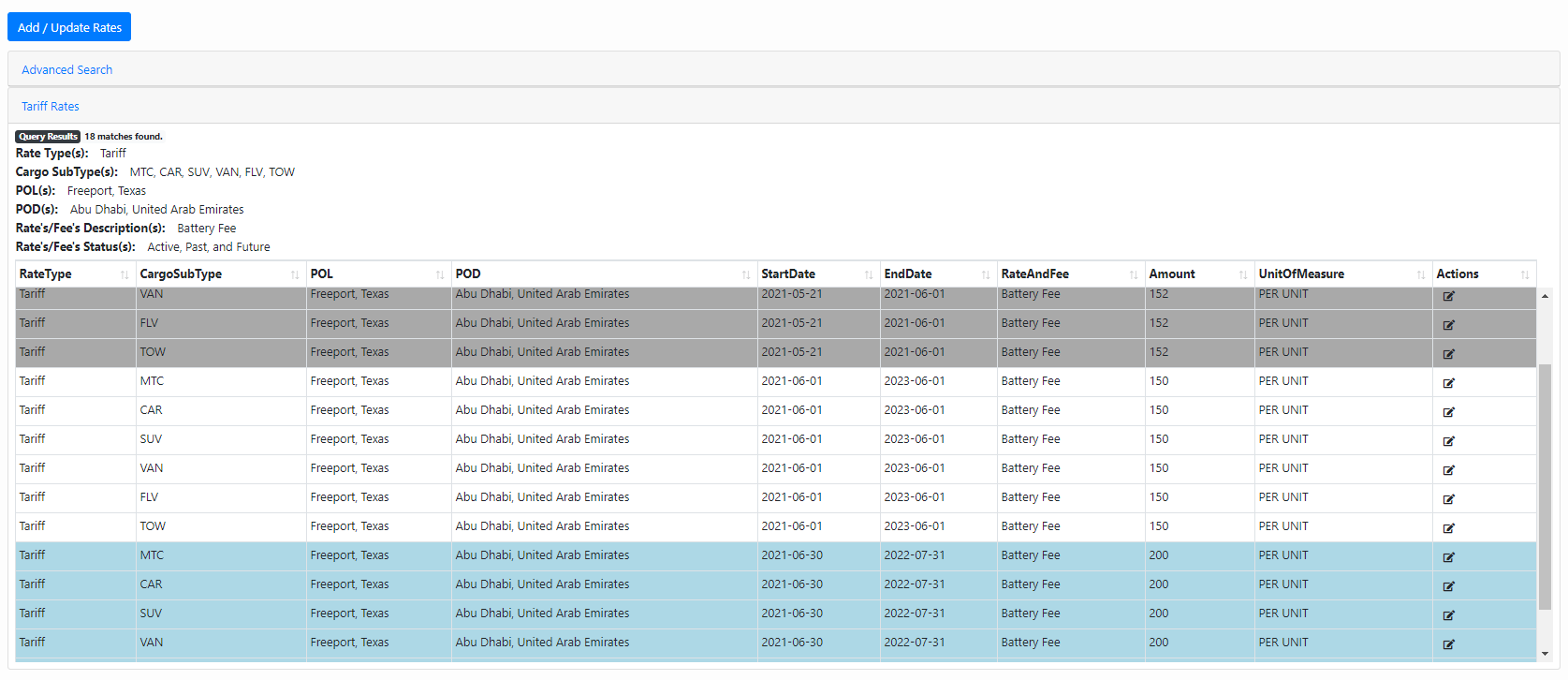
Rates that take effect in the future will be highlighted in a light blue as seen here.
If you have any questions or issues to report regarding the Rate Management Module, please submit a help desk ticket with “Rate Management Module Help/Bug” in the subject line.