¶ Action Items To Do
¶ Non-Logged In Features
On this page, users will be able to view all of the action items that have been created in the VSM. All of the action items are displayed in three separate tables based on their date created and completion status:
- Current Action Items → Action items that were created recently (within 30 days) and have not been completed
- Aging Action Items → Action items that were created awhile ago (at least 30 days ago) and have not been completed
- Recently Completed Action Items → Action Items that were created recently (within 30 days) and have been completed
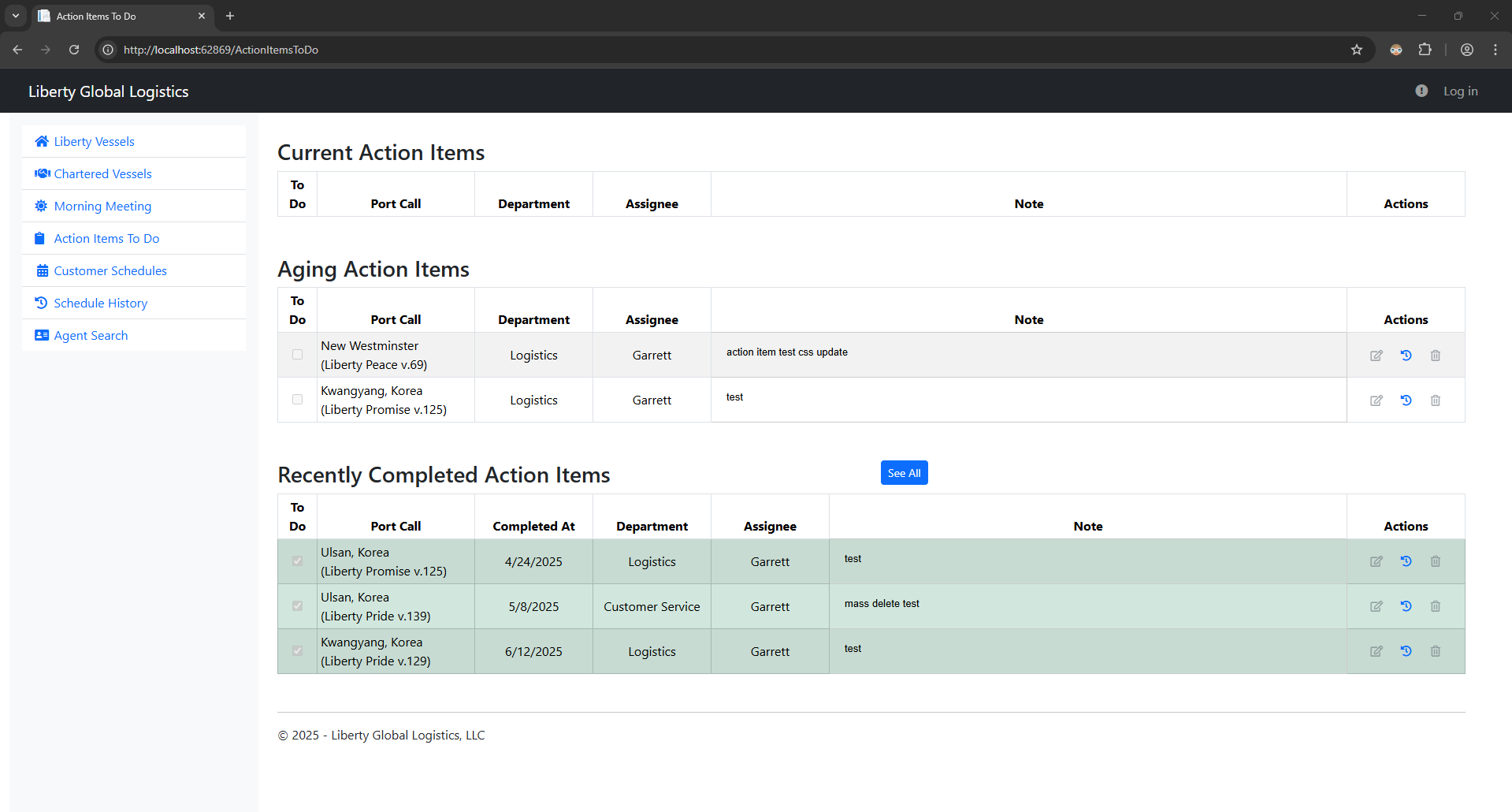
Clicking the ‘See All’ button above the ‘Recently Completed Action Items' table will display all of the completed action items in the VSM, no matter when it was made.
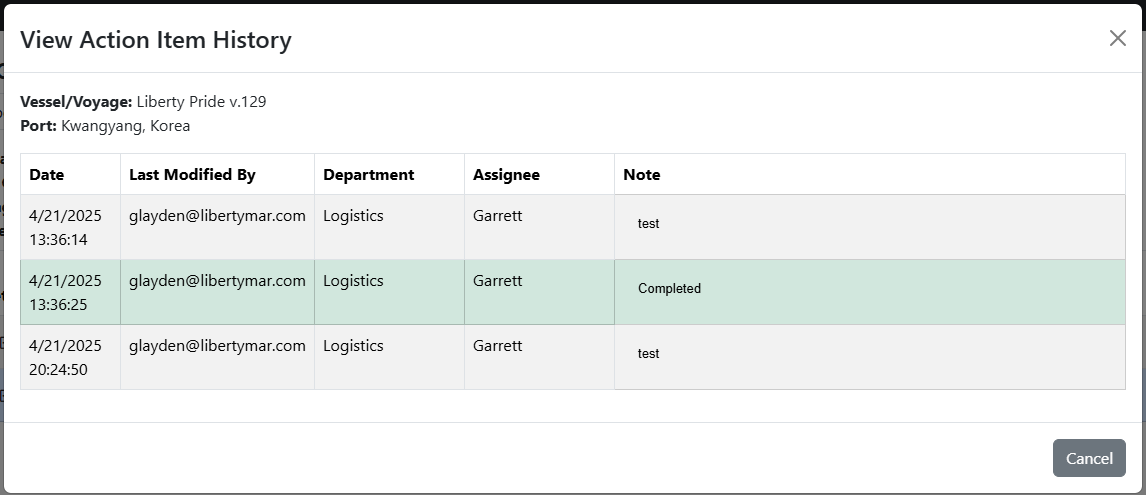
Additionally, users can view the history of an action item
¶ Logged In Features
A logged in user will have all the same read functionality that a non-logged in user has and will also be able to edit and delete action items for a port call.
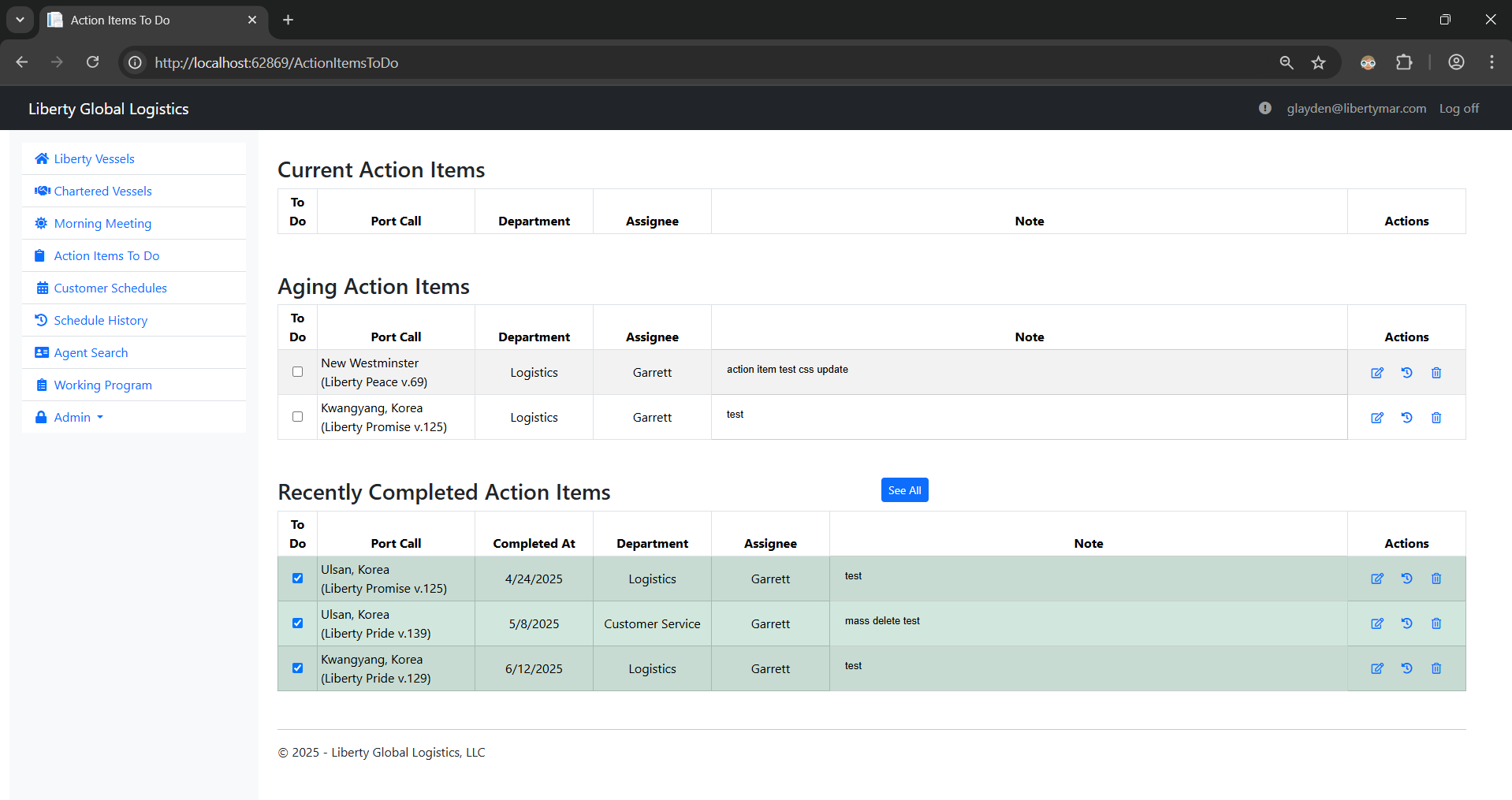
Each action item has a ‘To Do’ checkbox that updates the completion status of the action item. If an action item is checked from the Current Action Items or Aging Action Items table, it will be marked complete and moved to the Recent Completed Action Items table. If an action item is unchecked from the Recently Completed Action Items table, it will be marked incomplete and moved to either the Current Action Items table or the Aging Action Items table depending on when the action item was made.
Additionally, both morning meeting notes and action items have actions attached to each item
 |
Edit action item |
 |
View history of action item (example modal shown in Non-Logged In Features section) |
 |
Delete action item |
¶ Edit Action Item
Clicking the Edit button will display a modal to edit the selected action item.
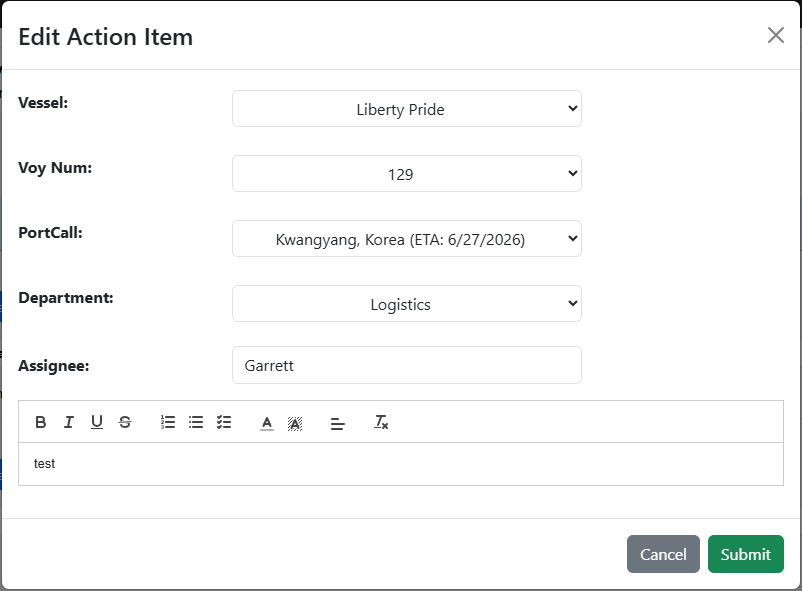
On top of editing the department, assignee , and details of the action item, you can also use the Vessel, Voyage, and PortCall dropdowns to move the action item to a different port call.
¶ Delete Action Item
Clicking the Delete button will display a modal to delete the selected action item.
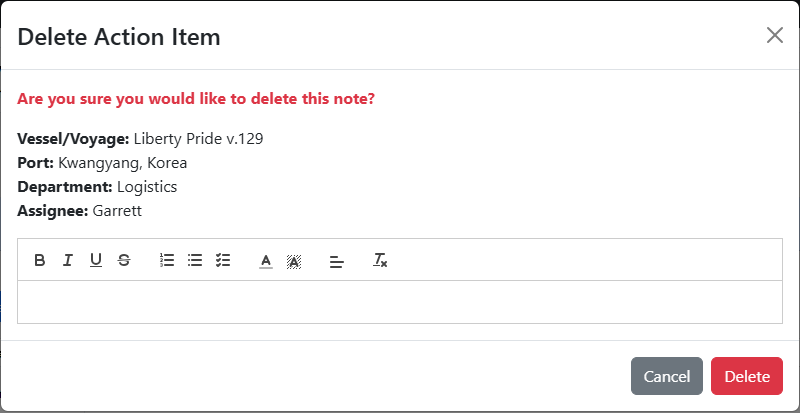
The modal displays the info related to the action item you are deleting, as well as a text box that allows a user to write a reason on why they are deleting the action item.
- Note: Currently, there is no way of viewing the reason for deleting a action item